dbdocs

An alternative dbt docs site — catalog + ERD + column-level lineage + versioned deploys, all in one CLI.
Turn your dbt artifacts into a docs site: a browsable catalog, an entity-relationship diagram, an interactive lineage DAG, and column-level lineage traced from your compiled SQL — all in one dbdocs generate. No database, no build step. Serve it with dbdocs serve, or deploy versioned builds anywhere a static host will take them.
 Try the live demo
The demo is a real dbdocs site built from the jaffle_shop dbt project — poke around the catalog, the lineage DAG, the ERD, and column-level lineage.
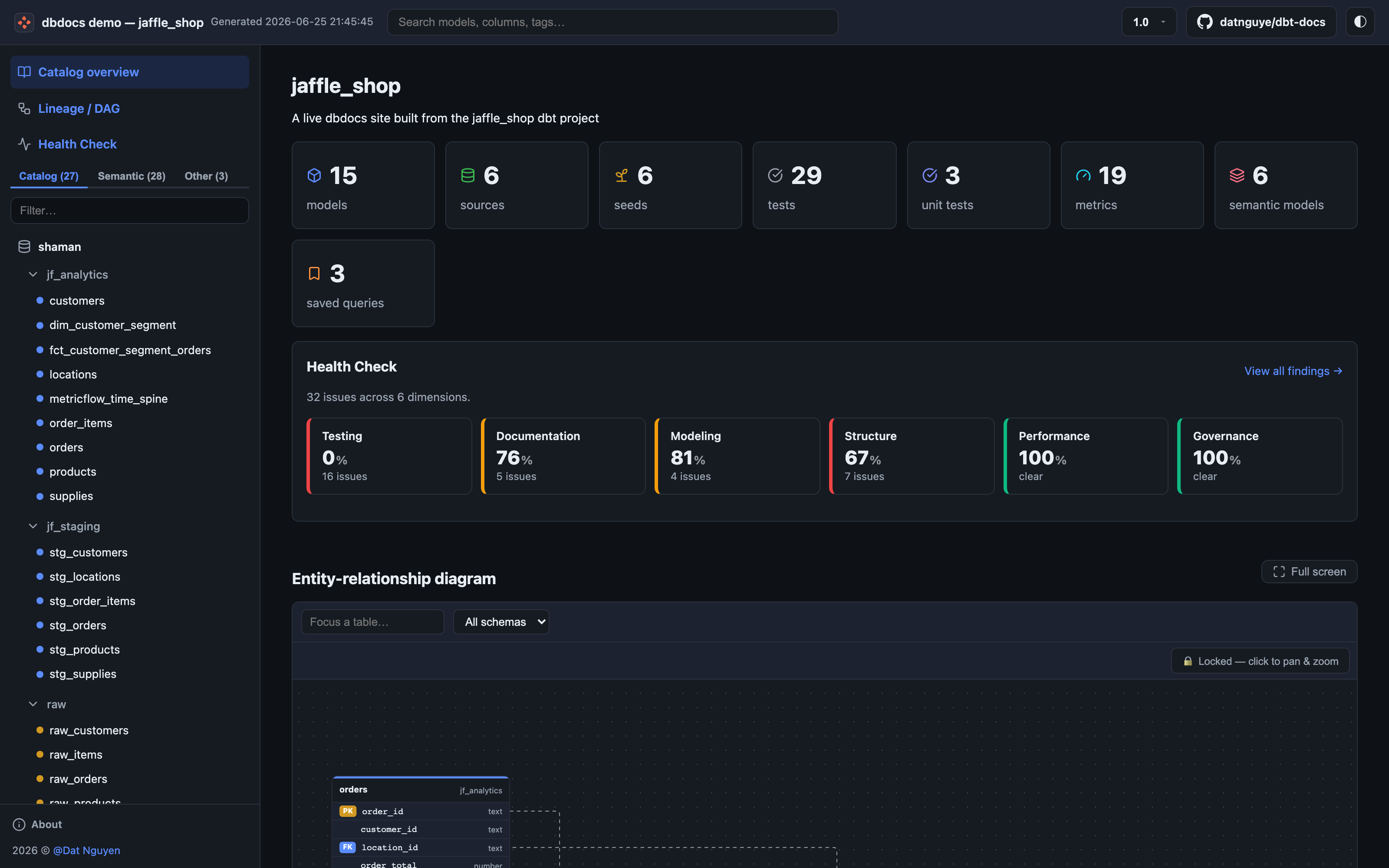
The catalog overview — project counts and the entity-relationship diagram, grouped by database and schema.
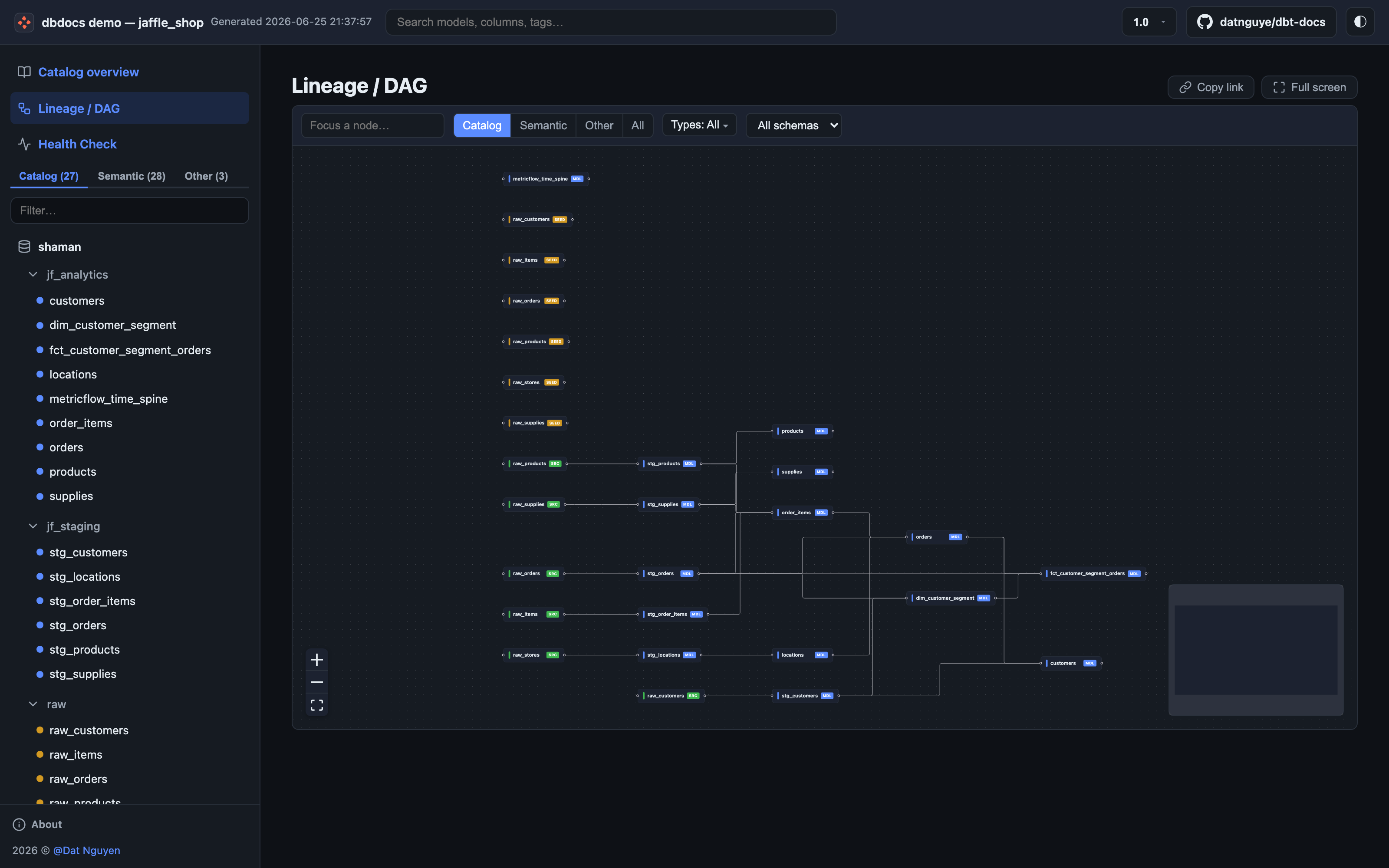
The interactive lineage DAG — pan, zoom, filter, and deep-link to any node.
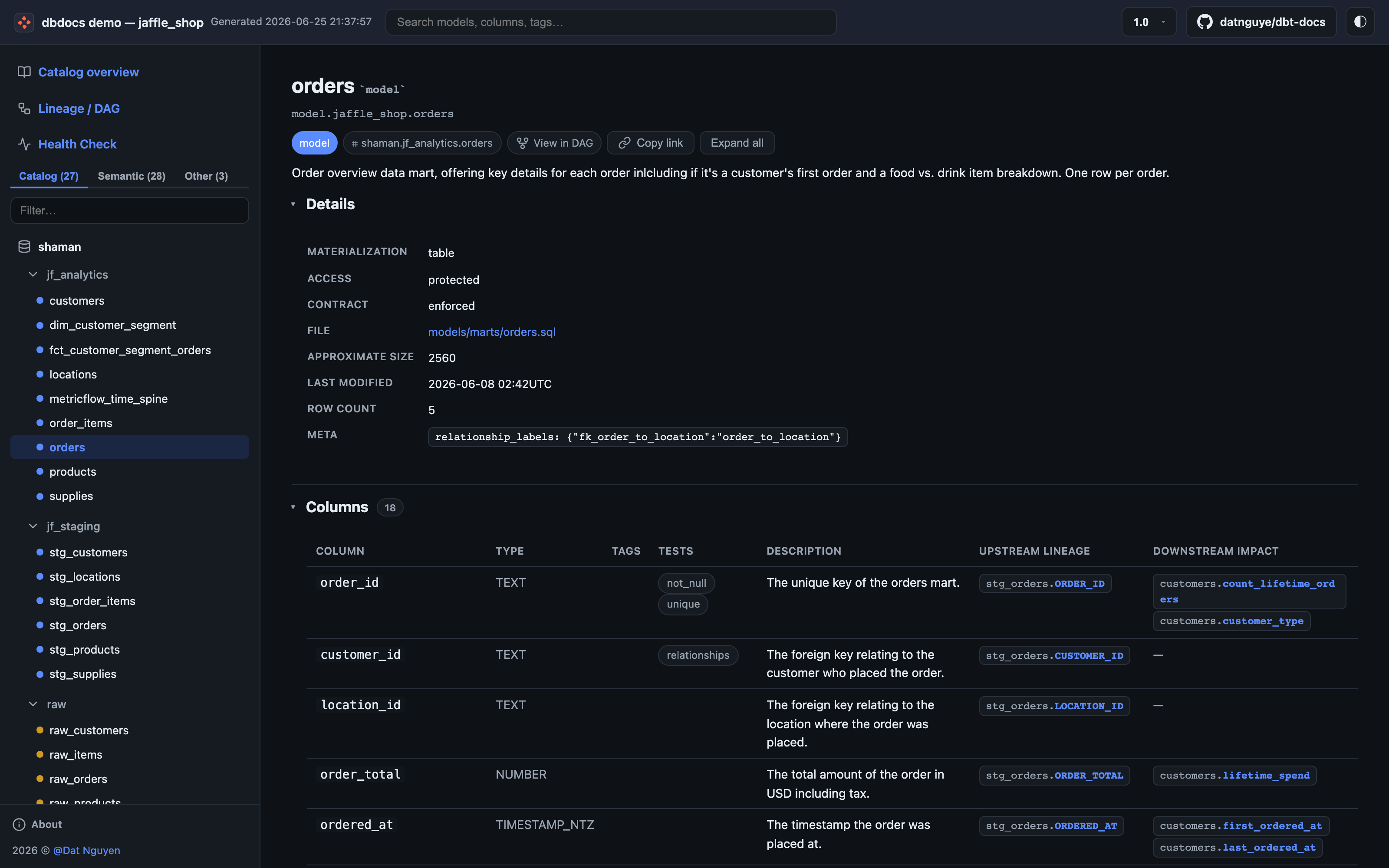
Per-model detail — every column with its type, description, and upstream column-level lineage traced from compiled SQL.
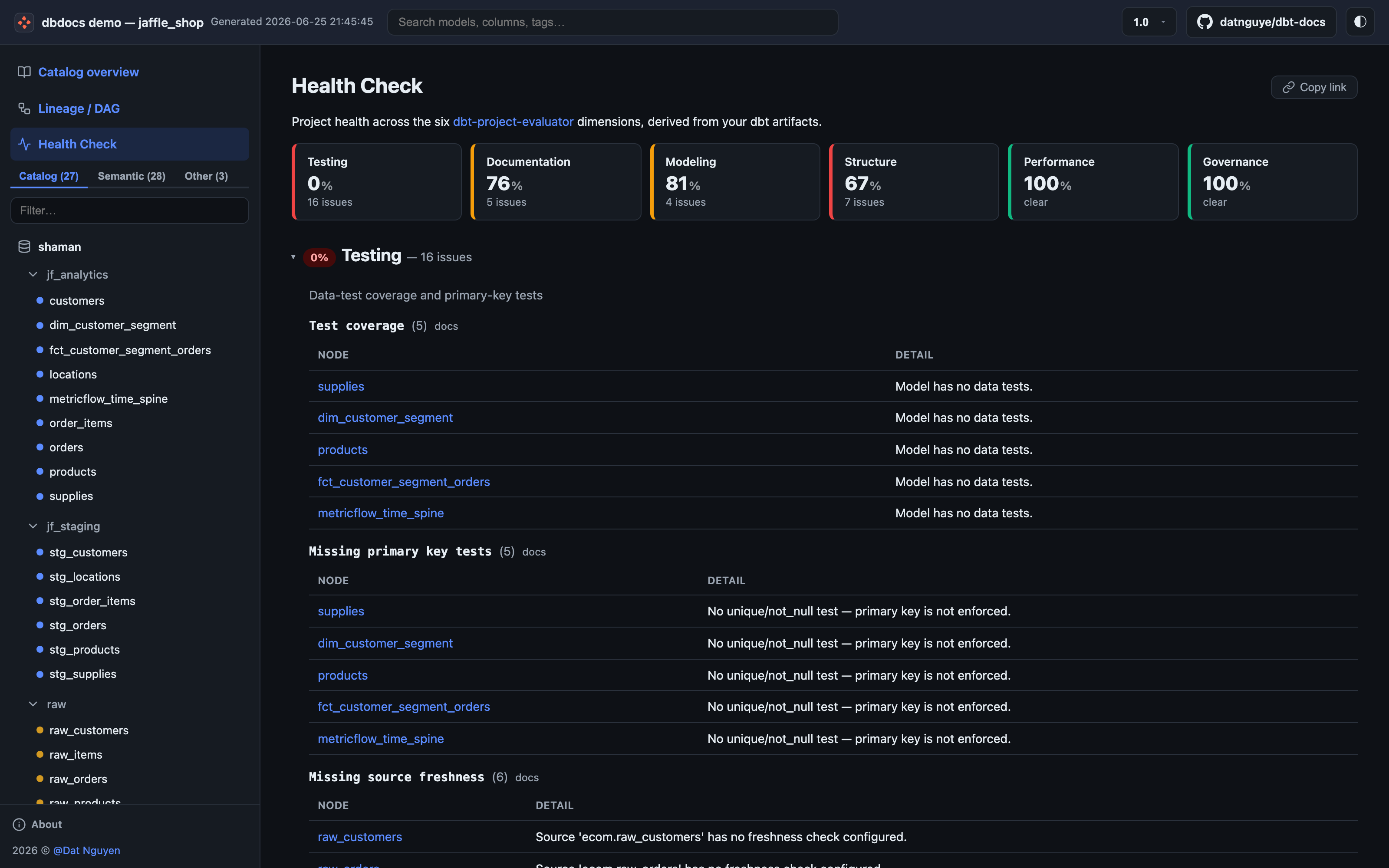
Project Health Check — a scorecard across the six dbt-project-evaluator dimensions, derived straight from your dbt artifacts.
What you get
dbt's built-in docs stop short of telling you which upstream column fed this downstream column, which tables relate to each other, or what changed between builds. dbdocs fills those gaps — no documentation framework or separate ERD tool to install.
- ERD + column-level lineage — table relationships (dbterd) and column lineage from compiled SQL (sqlglot).
- Column impact analysis — downstream dependents for any column.
- Deep-link URLs for every node, column, and DAG view.
- Any sqlglot dialect, auto-detected from your manifest.
- Scales to 1 000s of models without freezing the browser.
- Fail-soft — an unparseable model is skipped, not fatal.
- Project Health Check across the six dbt-project-evaluator dimensions.
- Versioned deploys with a built-in version switcher, no plugins.
- Full-text search across names, columns, descriptions, tags, and SQL at the client-side, no backend.
- Static REST API (
api/v1/) — addressable JSON for every node, lineage, and health, for headless / agent consumption. - Dark / light theme.
Installation
Requires Python 3.10+
dbdocs leans on the dbt artifact parser and sqlglot, both of which long ago moved past Python 3.9 — so we did too. Upgrading your interpreter is the way forward (it's worth it).
Verify installation:
Quickstart
First, produce dbt artifacts in your dbt project (the bit dbdocs reads):
Then generate, serve, and open the site:
dbdocs generate             # builds ./site/ with index.html + dbdocs-data.json.gz
dbdocs serve                # static http server on http://127.0.0.1:8000
The site must be served over HTTP (not opened as a local file) because it fetches the data payload at load time. dbdocs serve handles that locally; any static host works for deployment.
Head to the Quickstart guide for the full walkthrough.
Contributing
Contributions are welcome — bugs, features, docs, typos. See the Contributing Guide.
If dbdocs saves you some clicks, consider buying me a coffee.
